


Archive for the ‘Software Tips’ Category
iTunes “now playing” notifications with song title and artist name
When you’re using your Mac and listening to music in iTunes, wouldn’t it be great if a notification popped up to tell you what song is currently playing? Find out how to display the song title, artist name, and even album cover art while using any app! Have you ever watched…


Extract audio from any video file on a Mac
Ever wanted to extract the audio from a movie or video file so you could import it into iTunes or burn it on a CD? There are actually a number of ways to accomplish this task on your Mac! Let’s say you’re a parent who took a home movie of your child during…
Create a keyboard shortcut to enable Private Browsing in Safari
Apple was among the first to include a private browsing option in a web browser, but they have yet to make it easily accessible with a keyboard shortcut. Let’s pick up the slack and do it ourselves! For those who are unfamiliar with Safari’s Private Browsing…

10 holiday gift ideas for 2010: Mac software titles we could all use
Ideally we would all have our Christmas shopping done by now. But that just isn’t the case for most of us, is it? If you’re in a bind trying to figure out what to get the Mac user in your life, these software titles are a good place to start. What could make…

Get iMovie HD’s editing timeline back in the new iMovie ’11
When the completely redesigned iMovie ’08 came out, a vocal group of users complained that the user interface didn’t include the traditional editing timeline. With Apple’s new iMovie ’11, however, a couple clicks bring the timeline back. Apple touted the…

7 cool tips and tricks for Apple’s new iTunes 10
At this point, iTunes is so much a part of our daily lives that it’s a major event every time Apple touches it. While iTunes 10 is very similar to its predecessors, it still brings some new things to the table. Most of the attention paid to iTunes 10 centers around…

Change or silence the default alarm sound for iCal events
Do you ever get tired of manually changing the default alarm sound in iCal from “Basso” to something of your choice? Do you hate having an alarm sound at all? Take care of this annoyance once and for all. So you’ve configured iCal to add a default alarm to all…

Import full-size pictures from Picasa Web Albums into iPhoto
Google’s Picasa is a popular way for people to organize, upload, and share their photos. Once they’re all uploaded into a Web Album, though, it can be a challenge to get them into Apple’s iPhoto software…

Convert songs to different file formats or 128kbps in iTunes
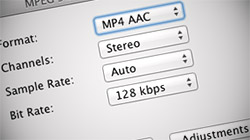
Despite changing how it’s done, Apple’s iTunes still lets users convert their songs to AAC, AIFF, MP3, WAV, and Apple Lossless once imported into the library. Not only that, iTunes has an option to encode lower bit rate versions for iPods, iPhones, and iPads…

New to Mac? Top 16 things to do when first setting up your Mac
A lot of new Mac users are so excited & overwhelmed by their purchases that they don’t even know where to start. While Macs do come out of the box ready to go, a little configuration here and a few applications there goes a long…

Batch resize images with Preview in Mac OS X 10.5 and 10.6
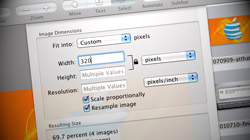
Expensive software like Photoshop is not necessary to resize large groups of pictures all at once. Mac OS X’s Preview application gets the job done just as easily for free! Resizing a bunch of images can be a tedious and time consuming…
Manage multiple iTunes & iPhoto libraries on the same computer
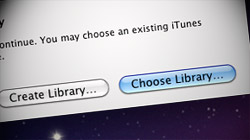
Since Apple software such as iTunes and iPhoto uses libraries to organize content, you may think you’re limited to just one per user account. It turns out these programs can actually manage multiple libraries at the same time. When most…




- 10 moves Apple made to change the computer industry forever
- 13 surprising quotes that prove Steve Jobs can predict the future
- Solutions for fixing a Mighty Mouse that won’t right-click reliably
- A slew of Exposé tips & tricks to show off to your Windows friends
- Classic Apple Mac commercials that relentlessly bash PCs
- 7 utilities to transfer music & videos from iPod or iPhone to Mac
- Keep your Mac safe from snoopers on public WiFi networks
- iPhone 3-way conference call feature not working? The fix is in!
- Text message fails on iPhone: “Error invalid number” notification
- Handy guide for Time Machine tricks and troubleshooting tips
- My Photo Stream not updating in Mac Photos app?
- Mac running slow after upgrading to OS X 10.10 Yosemite?
- How to delete and forward individual text messages on iOS 7
- How to lock your Mac screen with a keyboard shortcut
- 5 simple ways to secure your Mac
- What Gatekeeper means for users of 10.8 Mountain Lion
- iPhone intermittently loses data connection despite full signal
- How to arrange and sort files in Finder using Mac OS X Lion
- Free Mac Bundle Giveaway! Dropzone, Socialite and Compartments
- iTunes “now playing” notifications with song title and artist name

