


Archive for the ‘OS X Features’ Category
What Gatekeeper means for users of 10.8 Mountain Lion
As users of 10.8 Mountain Lion settle into their new environment, some of the most common questions about the new operating system relate to Gatekeeper – OS X’s newest security feature. While Gatekeeper is…


How to password protect and encrypt Time Machine backups
It was previously very difficult and even unreliable to password protect Time Machine backups in older versions of Mac OS X. In Lion, however, Apple has made encrypting backups as easy as checking a single box. Most Mac users have no need to encrypt their Time…

Why doesn’t Mac OS X’s green Zoom button maximize windows?
If you are perplexed as to why Mac OS X’s green Zoom button doesn’t always maximize windows to full screen like in Microsoft Windows, there’s a perfectly good explanation. In fact, it truly makes sense when you think about it. As mentioned in…

Mac switchers: 7 Windows concepts & habits you need to let go
Switching from a Windows PC to a Mac is a big step. At first, Mac OS X can seem like a foreign land to folks who have only used Windows in the past. But with an open mind and a little re-training, it’s not so daunting after all. It’s actually pretty exciting!

Keyboard shortcuts for OS X’s Cmd+Tab Application Switcher
The Mac Application Switcher is that handy list of open programs that comes up when you press Command+Tab on the keyboard. Add more functionality to this feature with a few keyboard shortcuts. For folks coming from…

Every Spotlight keyboard shortcut a Mac user needs to know
Spotlight – Mac OS X’s fantastic system-wide search tool – helps find files, launch applications, make basic calculations, look up definitions, and more. Best of all, it can do all that without ever needing input from a mouse. Whether…

Hidden files & Quick Look in Snow Leopard’s Open/Save dialogs
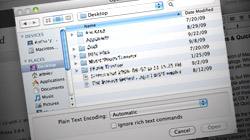
The latest version of Mac OS X includes a couple important enhancements to Open/Save dialogs. While these mini windows are not quite as full-featured as real Finder windows yet, they’re getting there. I rarely say this, but Windows beats Mac OS X in the…
7 random features found throughout Mac OS X Snow Leopard
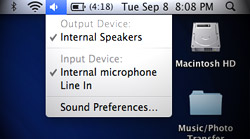
Rather than focus on specific system applications like we’ve done for the past few articles, let’s take a broader look at 10.6 Snow Leopard and cover some random odds & ends. According to our statistics, the latest version of Mac…
Snow Leopard’s faster, more robust Preview for PDFs & images
Continuing our coverage of Mac OS X 10.6 Snow Leopard, we take a look at enhancements to Preview. Primarily used as a PDF and image viewer, Preview is becoming more powerful and lightweight at the same time. The raw…

An introduction to Snow Leopard’s all-new QuickTime X player
Perhaps the most radical and obvious change in Mac OS X Snow Leopard is the totally revamped QuickTime X player. Taking what they learned from the iPhone’s media player, Apple has started with a clean slate on the Mac side…

Cool new enhancements to Exposé in Mac OS X Snow Leopard
Exposé was fantastic before, and with Mac OS X 10.6 Snow Leopard it just got even better. Apple has made great changes to the way it displays windows and how users can interact with them. Snow Leopard, the new version of Mac OS X that shipped this past…

Search for .plist and other system files with Leopard’s Spotlight
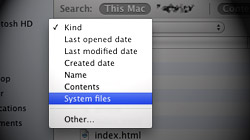
Although Leopard’s Spotlight search function is more powerful than the one found in Tiger, some of that power is hidden. Searching for OS X system files, for instance, can only be done when special parameters are set. Spotlight is configured out of the box to produce…




- 10 moves Apple made to change the computer industry forever
- 13 surprising quotes that prove Steve Jobs can predict the future
- Solutions for fixing a Mighty Mouse that won’t right-click reliably
- A slew of Exposé tips & tricks to show off to your Windows friends
- Classic Apple Mac commercials that relentlessly bash PCs
- 7 utilities to transfer music & videos from iPod or iPhone to Mac
- Keep your Mac safe from snoopers on public WiFi networks
- iPhone 3-way conference call feature not working? The fix is in!
- Text message fails on iPhone: “Error invalid number” notification
- Handy guide for Time Machine tricks and troubleshooting tips
- My Photo Stream not updating in Mac Photos app?
- Mac running slow after upgrading to OS X 10.10 Yosemite?
- How to delete and forward individual text messages on iOS 7
- How to lock your Mac screen with a keyboard shortcut
- 5 simple ways to secure your Mac
- What Gatekeeper means for users of 10.8 Mountain Lion
- iPhone intermittently loses data connection despite full signal
- How to arrange and sort files in Finder using Mac OS X Lion
- Free Mac Bundle Giveaway! Dropzone, Socialite and Compartments
- iTunes “now playing” notifications with song title and artist name

