


Posts Tagged ‘lion’
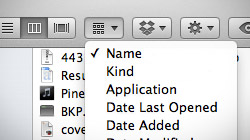
How to arrange and sort files in Finder using Mac OS X Lion
With the introduction of OS X Lion, Apple changed the way file sorting works in Finder. Unfortunately, it has left some users confused as to why selecting Arrange By > Name isn’t working in Finder’s Column view. An interesting issue has been plaguing some…

iTunes “now playing” notifications with song title and artist name
When you’re using your Mac and listening to music in iTunes, wouldn’t it be great if a notification popped up to tell you what song is currently playing? Find out how to display the song title, artist name, and even album cover art while using any app! Have you ever watched…

How to use AirDrop over Ethernet and on older Macs running Lion
AirDrop is a new feature in Mac OS X Lion that makes sharing files between Macs easier than ever. There are no accounts to sign into, networks to connect to, or preferences to set up. Some Macs don’t support AirDrop, though, and sharing over Ethernet…

How to password protect and encrypt Time Machine backups
It was previously very difficult and even unreliable to password protect Time Machine backups in older versions of Mac OS X. In Lion, however, Apple has made encrypting backups as easy as checking a single box. Most Mac users have no need to encrypt their Time…

How to reset password for Mac OS X 10.7 Lion
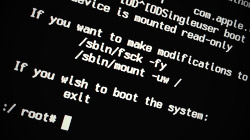
One of the most common questions Mac users ask is, “How do I reset my Mac’s password?” If you’re using Mac OS X 10.7 Lion, there are a couple ways you can go about it – and they’re both pretty easy to do. MacYourself previously published a popular…
Disable OS X Lion’s app resume, reverse scrolling and more
Apple has made some significant user interface changes to OS X 10.7 Lion. If it’s too much change for you to handle all at once, there are ways you can disable many of Lion’s newest features. The marketing behind Mac OS X Lion touts it as being…

Create your own OS X 10.7 Lion boot DVD, USB drive or SD card
After downloading OS X 10.7 Lion from the Mac App Store, it might be a good idea to create your own boot disc or recovery drive. This would make it much easier to re-install Lion in the event that your hard drive fails. Yesterday Apple unleashed Lion…





- 10 moves Apple made to change the computer industry forever
- 13 surprising quotes that prove Steve Jobs can predict the future
- Solutions for fixing a Mighty Mouse that won’t right-click reliably
- A slew of Exposé tips & tricks to show off to your Windows friends
- Classic Apple Mac commercials that relentlessly bash PCs
- 7 utilities to transfer music & videos from iPod or iPhone to Mac
- Keep your Mac safe from snoopers on public WiFi networks
- iPhone 3-way conference call feature not working? The fix is in!
- Text message fails on iPhone: “Error invalid number” notification
- Handy guide for Time Machine tricks and troubleshooting tips
- My Photo Stream not updating in Mac Photos app?
- Mac running slow after upgrading to OS X 10.10 Yosemite?
- How to delete and forward individual text messages on iOS 7
- How to lock your Mac screen with a keyboard shortcut
- 5 simple ways to secure your Mac
- What Gatekeeper means for users of 10.8 Mountain Lion
- iPhone intermittently loses data connection despite full signal
- How to arrange and sort files in Finder using Mac OS X Lion
- Free Mac Bundle Giveaway! Dropzone, Socialite and Compartments
- iTunes “now playing” notifications with song title and artist name

