


Posts Tagged ‘preview’
Batch resize images with Preview in Mac OS X 10.5 and 10.6
Expensive software like Photoshop is not necessary to resize large groups of pictures all at once. Mac OS X’s Preview application gets the job done just as easily for free! Resizing a bunch of images can be a tedious and time consuming…


3-Finger swipe gestures in Finder, Mail, Preview, iMovie, & more
Apple is running full steam ahead with integrating Multi-Touch into Mac notebooks. For the past couple years, they’ve shipped trackpads capable of advanced gestures – such as the versatile 3-finger swipe – that make everyday tasks…

7 random features found throughout Mac OS X Snow Leopard
Rather than focus on specific system applications like we’ve done for the past few articles, let’s take a broader look at 10.6 Snow Leopard and cover some random odds & ends. According to our statistics, the latest version of Mac…
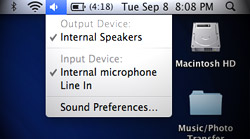
Snow Leopard’s faster, more robust Preview for PDFs & images
Continuing our coverage of Mac OS X 10.6 Snow Leopard, we take a look at enhancements to Preview. Primarily used as a PDF and image viewer, Preview is becoming more powerful and lightweight at the same time. The raw…

Power tips for manipulating PDFs & images in Mac OS X’s Preview
One of Mac OS X’s most overlooked features is Preview, a built-in PDF and image viewer that also happens to have some pretty advanced manipulation and editing tools. Where third party software was previously needed for certain tasks, Leopard’s version…





- 10 moves Apple made to change the computer industry forever
- 13 surprising quotes that prove Steve Jobs can predict the future
- Solutions for fixing a Mighty Mouse that won’t right-click reliably
- A slew of Exposé tips & tricks to show off to your Windows friends
- Classic Apple Mac commercials that relentlessly bash PCs
- 7 utilities to transfer music & videos from iPod or iPhone to Mac
- Keep your Mac safe from snoopers on public WiFi networks
- iPhone 3-way conference call feature not working? The fix is in!
- Text message fails on iPhone: “Error invalid number” notification
- Handy guide for Time Machine tricks and troubleshooting tips
- My Photo Stream not updating in Mac Photos app?
- Mac running slow after upgrading to OS X 10.10 Yosemite?
- How to delete and forward individual text messages on iOS 7
- How to lock your Mac screen with a keyboard shortcut
- 5 simple ways to secure your Mac
- What Gatekeeper means for users of 10.8 Mountain Lion
- iPhone intermittently loses data connection despite full signal
- How to arrange and sort files in Finder using Mac OS X Lion
- Free Mac Bundle Giveaway! Dropzone, Socialite and Compartments
- iTunes “now playing” notifications with song title and artist name

