


Posts Tagged ‘terminal’
Taking screenshots in Mac OS X: A collection of tips & tricks
It’s mind-boggling how many different ways we can take screenshots – also known as screen grabs – using just the tools already bundled in Mac OS X. Who knew such a simple task could be so customizable? Screenshots are great for capturing important images, showing others how to do…


Dashboard widgets on your desktop, plus other tricks & shortcuts
One of the most common complaints about Dashboard in Mac OS X is the inability to run widgets on the user’s desktop so they’re always visible. Learn how to fix that pesky problem along with a couple other helpful hints…
Mac login window tricks, Part 4: Change default background image
The fourth and final segment of MacYourself’s Mac login window tricks series helps make your Mac your own. Ditch the login screen’s default background in favor of a custom image of your choice. One of the first things many people do when they get…
Mac login window tricks, Part 3: Hide certain user accounts
For the 3rd installment of our 4-part series of Mac login window tips and tricks, we’re going to show how to hide user accounts from displaying. This can be particularly useful when you have a number of users who don’t log in very often. There are…
Mac login window tricks, Part 2: Add a custom welcome message
Number two in our 4-part series about tweaking your Mac’s login window focuses on setting up a special greeting of your choice. Although it might seem trivial at first, adding a few lines of text to the login screen can serve a number of purposes. Have…
Mac login window tricks, Part 1: Unleash hidden system information
You may not realize it, but the login window on the Mac offers a useful mix of system information that is accessible without even needing to sign in. The reason most folks are probably not aware of this (unless you’re a hard-core user) is because Apple’s…

A few tidbits about Mail’s fancy data detectors in Leopard
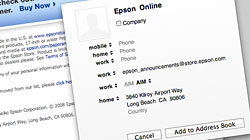
The introduction of Mac OS X Leopard brought nifty new functionality in the form of data detectors for Apple’s Mail application. Whether you love ’em or hate ’em, read on for some interesting tips. For new or inexperienced Mac…
Adding a slick white mouse over effect to Stacks in Leopard
One of Mac OS X Leopard’s most touted and obvious new features is Stacks, which allows users to easily see their files and folders from the Dock with a touch of eye candy. If a single Stack has more than 9 items in it, grid view is…

Prevent accidental wake-ups when an Apple laptop’s lid is opened
A while back my precious Macbook Pro was the victim of a couple unfortunate “incidents” shall we say, which led to one of the two hooks on the top lid being broken off. Aside from being devastated that it was no longer in pristine condition…





- 10 moves Apple made to change the computer industry forever
- 13 surprising quotes that prove Steve Jobs can predict the future
- Solutions for fixing a Mighty Mouse that won’t right-click reliably
- A slew of Exposé tips & tricks to show off to your Windows friends
- Classic Apple Mac commercials that relentlessly bash PCs
- 7 utilities to transfer music & videos from iPod or iPhone to Mac
- Keep your Mac safe from snoopers on public WiFi networks
- iPhone 3-way conference call feature not working? The fix is in!
- Text message fails on iPhone: “Error invalid number” notification
- Handy guide for Time Machine tricks and troubleshooting tips
- My Photo Stream not updating in Mac Photos app?
- Mac running slow after upgrading to OS X 10.10 Yosemite?
- How to delete and forward individual text messages on iOS 7
- How to lock your Mac screen with a keyboard shortcut
- 5 simple ways to secure your Mac
- What Gatekeeper means for users of 10.8 Mountain Lion
- iPhone intermittently loses data connection despite full signal
- How to arrange and sort files in Finder using Mac OS X Lion
- Free Mac Bundle Giveaway! Dropzone, Socialite and Compartments
- iTunes “now playing” notifications with song title and artist name

