


Archive for the ‘Software Tips’ Category
Power tips for manipulating PDFs & images in Mac OS X’s Preview
One of Mac OS X’s most overlooked features is Preview, a built-in PDF and image viewer that also happens to have some pretty advanced manipulation and editing tools. Where third party software was previously needed for certain tasks, Leopard’s version…


Use Safari’s SnapBack feature and say goodbye to the Back button
We’ve all grown accustomed to using the Back button in our web browser to navigate back to a previously viewed web page. Throw that habit out the window and check out SnapBack in Apple’s Safari. Have you ever wondered what that tiny orange…

Spotlight trouble? Re-index your entire hard drive for search
Spotlight allows you to search the files and folders on your Mac instantaneously. Like any computer database, however, it can become corrupt and inaccurate over time. No problem — it’s an easy fix. To give you an example of when Spotlight might…

21 Apple Safari internet browsing tips and productivity boosters
Others may disagree, but I believe Apple’s Safari is the best internet browser available for the Mac. For starters, it’s blazing fast and has a great minimalist user interface. With this list of 21 Safari tips & productivity boosters, you can take…

Organize your iPhoto library by batch changing titles and dates
Most people (myself included) are guilty of connecting their digital camera to their Mac, quickly throwing the most recently taken images into iPhoto, and then going on their merry way. As easy as that is in the moment, it will come back to bite…

Watch & download high definition YouTube videos on your Mac
YouTube, the world’s most popular video-sharing website, has recently introduced the ability to upload 720p high definition videos. Here’s how you can view and — even better — download them to keep on your Mac. Traditionally, the video quality…

Use iPhoto’s built-in tools to order last-minute printed holiday gifts
It’s coming down to crunch time this holiday season and, since gift-giving is already difficult to begin with, the pressure is on. No worries… you can put that extensive iPhoto library to good use and order Apple’s professionally printed products…

How to copy your Time Machine backups to a new larger drive
At some point, unless you are an extremely light computer user, most people will outgrow their Time Machine disk and need to migrate to a bigger one. Here’s how to do it without losing your backup history. As a Time Machine disk drive…

Control Quicktime playback with convenient keyboard shortcuts
Some hard-core computer users never take their hands off the keyboard. While most people don’t necessarily need to go that far, using these keyboard shortcuts to control media playback in Quicktime can prove…

Use the power of drag and drop to create a new Mail message
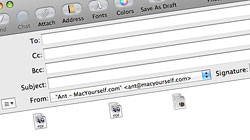
Apple’s bundled Mail application is such a breeze to use that it’s easy to overlook some of its more powerful time-saving features, including its support for drag and drop message launching. When you send an email attachment to…
Rebuild your iPhoto library to fix common errors or missing pics
Most of the common problems Mac users have with iPhoto are easily resolved by rebuilding the program’s corrupt library. You’ll be up and running in no time. Apple’s award-winning iLife suite is known for its simplicity and ease-of-use…

Download CrossOver Mac for free – offer only available 10/28!
The developers of the software, which lets you run popular Windows applications (including some games) on your Mac without needing to purchase a copy of Windows, are kicking their normal $69.95 price tag to the curb today…





- 10 moves Apple made to change the computer industry forever
- 13 surprising quotes that prove Steve Jobs can predict the future
- Solutions for fixing a Mighty Mouse that won’t right-click reliably
- A slew of Exposé tips & tricks to show off to your Windows friends
- Classic Apple Mac commercials that relentlessly bash PCs
- 7 utilities to transfer music & videos from iPod or iPhone to Mac
- Keep your Mac safe from snoopers on public WiFi networks
- iPhone 3-way conference call feature not working? The fix is in!
- Text message fails on iPhone: “Error invalid number” notification
- Handy guide for Time Machine tricks and troubleshooting tips
- My Photo Stream not updating in Mac Photos app?
- Mac running slow after upgrading to OS X 10.10 Yosemite?
- How to delete and forward individual text messages on iOS 7
- How to lock your Mac screen with a keyboard shortcut
- 5 simple ways to secure your Mac
- What Gatekeeper means for users of 10.8 Mountain Lion
- iPhone intermittently loses data connection despite full signal
- How to arrange and sort files in Finder using Mac OS X Lion
- Free Mac Bundle Giveaway! Dropzone, Socialite and Compartments
- iTunes “now playing” notifications with song title and artist name

