


Archive for the ‘Software Tips’ Category
Monolingual: How I recovered 4.5GB of disk space on my Mac
Even a freshly-loaded copy of Mac OS X Leopard can be slimmed down to leave more room for your files and programs. Remove unneeded languages and architectures from your Mac’s hard drive with Monolingual. Veteran Mac users likely…


Keep your Mac safe from snoopers on public WiFi networks
Any time I travel and bring my MacBook Pro along there are a few things I do to keep my personal information safe from hackers. Connecting to public WiFi networks is risky, so knowing how to fend off snoopers is extremely important. Free…

Back up your copy-protected DVDs for safe keeping w/ Fairmount
The problem with optical media is how fragile the discs really are. Movies on DVD can be easily scratched or damaged beyond repair, so strip away that copy protection and back them up with Fairmount! Let’s get the big disclaimer out of the way…

Photo Booth tips which make it easier to take pics and get goofy
One of the first things many new Mac users do is fire up Photo Booth and snap some funny looking shots of themselves. Sure… it gets old eventually, but it can still fun. Rekindle your love for Photo Booth with these tips & tricks. Just as a preliminary…

A quartet of iCal tips and tricks which make scheduling a breeze
A lot of Mac users practically live in iCal. It’s the perfect way to keep track of events, appointments, and reminders. Would you believe it can get even better with these iCal tips? Leopard’s version of iCal brought a few significant changes compared…

Stop DVD Player from opening when a disc is inserted, plus tips
Macs are configured to automatically launch the DVD Player application when a movie disc is inserted. That’s great when you want to watch the DVD right away, but sometimes this behavior is unwanted. How do you stop DVD Player from opening…

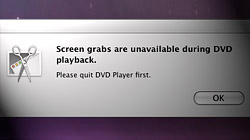
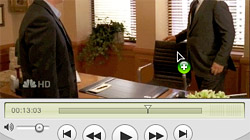
How to take screenshots in Mac OS X’s DVD Player application
Due to a limitation which prevents screenshots from being taken while DVD Player is running, grabbing frames from movies is a hassle. With a little trickery (or a different video player), that problem can be solved. You’ve probably seen the error…
7 Address Book tips to help you get the most out of your contacts
Address Book is one of those essential applications built into Mac OS X, but it never seems to get the attention it deserves. Let’s change that with a list of tips which make using Address Book a more pleasant experience. If you’re across the…

Small hard drive? Split your iTunes library across multiple volumes
As more of our entertainment goes digital, we’re running out of hard drive space to store these big files directly on our Macs. A possible solution to this problem is dividing an iTunes library across multiple disk volumes. To better explain the goal of…

What is the perfect backup strategy to protect your Mac’s data?
Everyone’s got their own ideas about how to ensure their personal files are kept safe from disaster, but is there truly a “perfect” backup solution? Here is what I do to keep the photos, music, and other files on my Mac intact — what’s your…

Merge multiple video files using the free version of QuickTime
If you’ve always wanted a simple way to combine movies into a single file, look no further than QuickTime Player. There’s no need to buy the Pro version — the bundled free version is fully capable of handling the task. A lot of times when you’re…
Never forget another birthday with Apple’s iCal & Address Book
So you’re the one who always misses birthdays and anniversaries. It’s so bad your family, friends, and co-workers have come to expect it by now. Take advantage of iCal and Address Book on your Mac and surprise them by never forgetting again! Right…





- 10 moves Apple made to change the computer industry forever
- 13 surprising quotes that prove Steve Jobs can predict the future
- Solutions for fixing a Mighty Mouse that won’t right-click reliably
- A slew of Exposé tips & tricks to show off to your Windows friends
- Classic Apple Mac commercials that relentlessly bash PCs
- 7 utilities to transfer music & videos from iPod or iPhone to Mac
- Keep your Mac safe from snoopers on public WiFi networks
- iPhone 3-way conference call feature not working? The fix is in!
- Text message fails on iPhone: “Error invalid number” notification
- Handy guide for Time Machine tricks and troubleshooting tips
- My Photo Stream not updating in Mac Photos app?
- Mac running slow after upgrading to OS X 10.10 Yosemite?
- How to delete and forward individual text messages on iOS 7
- How to lock your Mac screen with a keyboard shortcut
- 5 simple ways to secure your Mac
- What Gatekeeper means for users of 10.8 Mountain Lion
- iPhone intermittently loses data connection despite full signal
- How to arrange and sort files in Finder using Mac OS X Lion
- Free Mac Bundle Giveaway! Dropzone, Socialite and Compartments
- iTunes “now playing” notifications with song title and artist name

