


Archive for the ‘OS X Tricks’ Category
How to lock your Mac screen with a keyboard shortcut
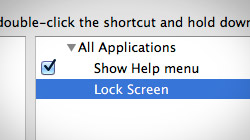
When you need to temporarily leave your Mac unattended, it’s a hassle to put it to sleep and wake it up again. What’s the quickest way? Set up a simple keyboard shortcut that shows your Mac’s login screen without logging you out. Mac users have a bunch of different ways to prevent…

5 simple ways to secure your Mac
Mac OS X is already extremely secure out of the box – especially the latest version, 10.8 Mountain Lion. But that doesn’t mean there aren’t at least a few things you can do to help make your Mac even more safe to use. When it comes to technology…

Make hidden app icons translucent in your Mac’s Dock
When looking at the Dock, it can be difficult to tell when a running Mac app has been hidden from view. But with a quick Terminal command, hidden app icons can fade into the background with lowered opacity. If you’re a Mac user who frequently has a cluttered screen full of open…

Copy file or folder path to the clipboard in Mac OS X Lion
Learn how to create your own OS X service that lets you copy & paste the paths of files and folders in Finder. After just a few steps you will be able to select items in Finder, press a quick keyboard shortcut, and paste the path(s) anywhere you want. Mac users have…

How to use AirDrop over Ethernet and on older Macs running Lion
AirDrop is a new feature in Mac OS X Lion that makes sharing files between Macs easier than ever. There are no accounts to sign into, networks to connect to, or preferences to set up. Some Macs don’t support AirDrop, though, and sharing over Ethernet…

How to reset password for Mac OS X 10.7 Lion
One of the most common questions Mac users ask is, “How do I reset my Mac’s password?” If you’re using Mac OS X 10.7 Lion, there are a couple ways you can go about it – and they’re both pretty easy to do. MacYourself previously published a popular…

Disable OS X Lion’s app resume, reverse scrolling and more
Apple has made some significant user interface changes to OS X 10.7 Lion. If it’s too much change for you to handle all at once, there are ways you can disable many of Lion’s newest features. The marketing behind Mac OS X Lion touts it as being…

Create your own OS X 10.7 Lion boot DVD, USB drive or SD card
After downloading OS X 10.7 Lion from the Mac App Store, it might be a good idea to create your own boot disc or recovery drive. This would make it much easier to re-install Lion in the event that your hard drive fails. Yesterday Apple unleashed Lion…

How to disable Front Row in Mac OS X, along with its shortcut
Front Row, Apple’s media center software for Mac OS X, offers a simple menu-based interface for browsing music, videos, and photos. Many Mac users don’t want or need it, though, so let’s find out how to turn off and disable Front Row. Front Row was…

Boot your Mac from CD, DVD, external drive, or USB flash drive
At some point, you may find a need to boot your Mac from a disc or a drive other than the primary Mac OS X startup volume. Apple made it easy so all you need to know is just a simple keyboard command. Let’s say you need to use the Mac OS X installation…

Help Viewer window always floats on top in 10.6 Snow Leopard
Going to the Help menu on a computer running Mac OS X 10.6 Show Leopard will bring up a window that floats above all other open windows. Change Help Viewer’s always-on-top behavior with a simple Terminal command. By default, Mac OS X does not…

Pause a process in OS X to temporarily free system resources
When your Mac is in the middle of a long, CPU intensive task it can bring the entire system to a crawl if you try to do something else at the same time. To avoid this issue, you can temporarily pause processes in Mac OS X. Computers are far more…





- 10 moves Apple made to change the computer industry forever
- 13 surprising quotes that prove Steve Jobs can predict the future
- Solutions for fixing a Mighty Mouse that won’t right-click reliably
- A slew of Exposé tips & tricks to show off to your Windows friends
- Classic Apple Mac commercials that relentlessly bash PCs
- 7 utilities to transfer music & videos from iPod or iPhone to Mac
- Keep your Mac safe from snoopers on public WiFi networks
- iPhone 3-way conference call feature not working? The fix is in!
- Text message fails on iPhone: “Error invalid number” notification
- Handy guide for Time Machine tricks and troubleshooting tips
- My Photo Stream not updating in Mac Photos app?
- Mac running slow after upgrading to OS X 10.10 Yosemite?
- How to delete and forward individual text messages on iOS 7
- How to lock your Mac screen with a keyboard shortcut
- 5 simple ways to secure your Mac
- What Gatekeeper means for users of 10.8 Mountain Lion
- iPhone intermittently loses data connection despite full signal
- How to arrange and sort files in Finder using Mac OS X Lion
- Free Mac Bundle Giveaway! Dropzone, Socialite and Compartments
- iTunes “now playing” notifications with song title and artist name

