


Archive for the ‘OS X Features’ Category
Creating folders in Apple’s Mail to organize email and RSS feeds
The bundled Mail application in Mac OS X is fantastic and definitely one of the programs Mac users work with most throughout the day. Staying organized is key to maintaining your sanity, so make your life easier with folders for your email and RSS…


8 more must-have Dashboard widgets for the average Mac user
As a follow-up to our popular list of 12 must-have Dashboard widgets, here are 8 more that are sure to appeal to just about anyone who loves trying these awesome little apps. I used to think most people with Macs were not huge users of Dashboard…

Turn your Mac into a WiFi hotspot using OS X’s internet sharing
Have you ever been in a situation where you had multiple devices that needed to connect to the internet, but only one available source (like an ethernet cable or cellular card)? Sharing your internet connection is only a few clicks away. Although free…

Prepare for Snow Leopard by calibrating your LCD to gamma 2.2
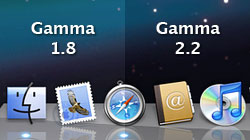
One of the reported changes coming in Apple’s upcoming version of Mac OS X is the operating system’s default display gamma setting. It will literally change the way you see your Mac, so why not get started now? To provide some background…
Useful tips for working with and customizing your Mac’s Dock
Whenever someone who’s new to Mac OS X uses the Dock for the first time, they’re always intrigued. At first it’s a love affair based on eye candy alone, but the Dock offers much more than just good looks. Once rookie Mac users actually…

Spell-check in a snap using Mac OS X’s contextual menus
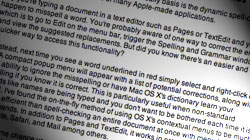
One of the key productivity tools I use on a daily basis is the dynamic spell-checker built into the contextual menus of many Apple-made applications. Say you’re typing a document in a text editor such as Pages or TextEdit and you happen…
Delete backups of certain data and more with Time Machine
Every once in a while you may decide that you no longer want certain data on your Time Machine drive, perhaps for free space concerns. To prevent future backups you would open Time Machine Preferences, click the Options button…

Using Leopard’s Spotlight-enhanced Help to select menu items
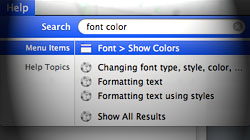
If you’ve ever fumbled around a program trying to find a certain menu item, Leopard’s searchable Help section can be a real time-saver. Every once in a while I’m forced to use a Mac that’s running a version of OS X other than 10.5 Leopard…
5 not-so-obvious Finder features new Mac users might not know
Getting used to Finder for browsing files is one of the biggest adjustments new Mac users have to make after switching from Windows. Once you’ve got the basics down, check out these tips to bring yourself to the next level. You might have…

12 must-have Dashboard widgets for the average Mac user
Most Dashboard widgets are useless pieces of crap. With that said, a good widget can be both fun and useful. Our list of 12 must-have widgets covers a wide range of categories, which should appeal to pretty much everyone looking to…

Tired of reading? Let your Mac do it for you with Text to Speech
If staring at a computer screen takes a toll on your eyes, if reading that long document is growing tiresome, or if you’re just plain lazy, Mac OS X’s built-in Text to Speech feature is perfect for you…

Reinstall bundled apps from Leopard disc without reinstalling OS X
While it is uncommon, occasionally you’ll find the only way to fix a troublesome application on your Mac is to uninstall and then reinstall it from scratch. This is no problem for third-party apps like Firefox or Microsoft Office since their installers…




- 10 moves Apple made to change the computer industry forever
- 13 surprising quotes that prove Steve Jobs can predict the future
- Solutions for fixing a Mighty Mouse that won’t right-click reliably
- A slew of Exposé tips & tricks to show off to your Windows friends
- Classic Apple Mac commercials that relentlessly bash PCs
- 7 utilities to transfer music & videos from iPod or iPhone to Mac
- Keep your Mac safe from snoopers on public WiFi networks
- iPhone 3-way conference call feature not working? The fix is in!
- Text message fails on iPhone: “Error invalid number” notification
- Handy guide for Time Machine tricks and troubleshooting tips
- My Photo Stream not updating in Mac Photos app?
- Mac running slow after upgrading to OS X 10.10 Yosemite?
- How to delete and forward individual text messages on iOS 7
- How to lock your Mac screen with a keyboard shortcut
- 5 simple ways to secure your Mac
- What Gatekeeper means for users of 10.8 Mountain Lion
- iPhone intermittently loses data connection despite full signal
- How to arrange and sort files in Finder using Mac OS X Lion
- Free Mac Bundle Giveaway! Dropzone, Socialite and Compartments
- iTunes “now playing” notifications with song title and artist name

