


Posts Tagged ‘os x’
Spell-check in a snap using Mac OS X’s contextual menus
One of the key productivity tools I use on a daily basis is the dynamic spell-checker built into the contextual menus of many Apple-made applications. Say you’re typing a document in a text editor such as Pages or TextEdit and you happen…

Don’t take any guff from your Mac; Force Quit when it freezes up
Macs are the most reliable and nonsense-free systems out there, but they’re still computers and will inevitably hiccup at some point. Don’t just sit there & stare when it does… Force Quit and end it already. Recent switchers and anyone…

Delete backups of certain data and more with Time Machine
Every once in a while you may decide that you no longer want certain data on your Time Machine drive, perhaps for free space concerns. To prevent future backups you would open Time Machine Preferences, click the Options button…

Using Leopard’s Spotlight-enhanced Help to select menu items
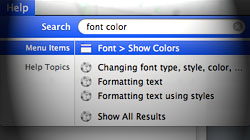
If you’ve ever fumbled around a program trying to find a certain menu item, Leopard’s searchable Help section can be a real time-saver. Every once in a while I’m forced to use a Mac that’s running a version of OS X other than 10.5 Leopard…
Grab the source files for that snazzy Leopard welcome video
If you’re looking for the location of 10.5’s awesome space-themed opening video, you’re in luck. It’s sitting right on your hard drive in all its full quality glory. The first time you fired up your brand new Mac or upgraded your operating…

A few tidbits about Mail’s fancy data detectors in Leopard
The introduction of Mac OS X Leopard brought nifty new functionality in the form of data detectors for Apple’s Mail application. Whether you love ’em or hate ’em, read on for some interesting tips. For new or inexperienced Mac…

Great Mac OS X hidden gem: ‘Always open with’ contextual menu
The relationships between files and their default applications are often a pain to deal with – unless you know about this cool “secret” feature. Many file types can be opened with more than one program on your Mac…

Use the power of drag and drop to create a new Mail message
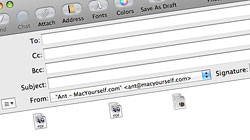
Apple’s bundled Mail application is such a breeze to use that it’s easy to overlook some of its more powerful time-saving features, including its support for drag and drop message launching. When you send an email attachment to…
5 not-so-obvious Finder features new Mac users might not know
Getting used to Finder for browsing files is one of the biggest adjustments new Mac users have to make after switching from Windows. Once you’ve got the basics down, check out these tips to bring yourself to the next level. You might have…

Keep your Mac’s volume settings (and startup chime) under control
Adjusting the volume on your Mac is pretty straightforward with the designated keys on your keyboard or the speaker icon on the menu bar. Did you know there are more helpful ways to improve your control of audio volume?

Handy guide for Time Machine tricks and troubleshooting tips
Time Machine is a simple and intuitive program for automatically backing up your files, but sometimes it can get a little picky. Next time it throws a fit, check out these easy steps to help set it straight again. “Unable to complete…

12 must-have Dashboard widgets for the average Mac user
Most Dashboard widgets are useless pieces of crap. With that said, a good widget can be both fun and useful. Our list of 12 must-have widgets covers a wide range of categories, which should appeal to pretty much everyone looking to…





- 10 moves Apple made to change the computer industry forever
- 13 surprising quotes that prove Steve Jobs can predict the future
- Solutions for fixing a Mighty Mouse that won’t right-click reliably
- A slew of Exposé tips & tricks to show off to your Windows friends
- Classic Apple Mac commercials that relentlessly bash PCs
- 7 utilities to transfer music & videos from iPod or iPhone to Mac
- Keep your Mac safe from snoopers on public WiFi networks
- iPhone 3-way conference call feature not working? The fix is in!
- Text message fails on iPhone: “Error invalid number” notification
- Handy guide for Time Machine tricks and troubleshooting tips
- My Photo Stream not updating in Mac Photos app?
- Mac running slow after upgrading to OS X 10.10 Yosemite?
- How to delete and forward individual text messages on iOS 7
- How to lock your Mac screen with a keyboard shortcut
- 5 simple ways to secure your Mac
- What Gatekeeper means for users of 10.8 Mountain Lion
- iPhone intermittently loses data connection despite full signal
- How to arrange and sort files in Finder using Mac OS X Lion
- Free Mac Bundle Giveaway! Dropzone, Socialite and Compartments
- iTunes “now playing” notifications with song title and artist name

