


Posts Tagged ‘mac’
Handy guide for Time Machine tricks and troubleshooting tips
Time Machine is a simple and intuitive program for automatically backing up your files, but sometimes it can get a little picky. Next time it throws a fit, check out these easy steps to help set it straight again. “Unable to complete…


12 must-have Dashboard widgets for the average Mac user
Most Dashboard widgets are useless pieces of crap. With that said, a good widget can be both fun and useful. Our list of 12 must-have widgets covers a wide range of categories, which should appeal to pretty much everyone looking to…

Tired of reading? Let your Mac do it for you with Text to Speech
If staring at a computer screen takes a toll on your eyes, if reading that long document is growing tiresome, or if you’re just plain lazy, Mac OS X’s built-in Text to Speech feature is perfect for you…

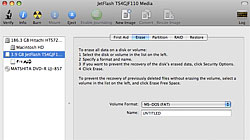
Reformat your USB flash drive to access its full storage capacity
Reclaim lost storage space by getting rid of the hidden files and junk that accumulates on your USB flash drive over time. Nearly everyone has a USB flash drive for portable data storage nowadays, and for the most part they work…
Solution for iChat error: “You have attempted to login too often…”
Users of Apple’s iChat instant messaging software might come across a problem that won’t allow them to sign into their AIM accounts. “You have attempted to login too often in a short period of time. Wait a few minutes before trying to login…”

Fix iSight cameras that show only a black picture in Photobooth
Occasionally, owners of Macs with Apple’s built-in iSight webcams may experience an issue that causes only a solid black picture to be displayed. No need to worry, it’s most likely not permanent. A few days ago I received a call from a friend…

Video: Never forget a password again with 1Password software
Registering as a member on websites is a pain. Having to remember the passwords to those accounts is even more of a pain. Our video tutorial of 1Password will show how you can securely store your login information and use it to auto-fill…

Beef up Leopard’s Quick Look with file plugins & droplet viewer
Quick Look, a feature Apple introduced in Mac OS X Leopard, is convenient for previewing files without opening any applications. With free add-ons you can add even more functionality. To put it mildly, Quick Look is one of my favorite new…

How to extract and fade audio clips using Apple’s iMovie ’08
iMovie ’08 threw long-time users of iMovie’s previous versions for a loop, making it difficult to figure out how to work with audio in the redesigned video editing app. At first glance, it may seem like a ton of features were dropped from iMovie…

Video: Using Active Screen Corners to Boost Productivity in OS X
Active Screen Corners is one of the most underrated features of the Mac OS X operating system, mainly because most people don’t even know it exists. In this helpful video tutorial we’re going to do a thorough overview of Exposé & Spaces…

Why Speck products are (mostly) great for protecting your Apple devices
I’m a big technology buff, but sometimes I can get a little rough with my electronics. It’s essential that I have my expensive toys guarded pretty well so they aren’t quite so prone to scratches, dings, or dents. Whenever I get a new Apple…

Reinstall bundled apps from Leopard disc without reinstalling OS X
While it is uncommon, occasionally you’ll find the only way to fix a troublesome application on your Mac is to uninstall and then reinstall it from scratch. This is no problem for third-party apps like Firefox or Microsoft Office since their installers…





- 10 moves Apple made to change the computer industry forever
- 13 surprising quotes that prove Steve Jobs can predict the future
- Solutions for fixing a Mighty Mouse that won’t right-click reliably
- A slew of Exposé tips & tricks to show off to your Windows friends
- Classic Apple Mac commercials that relentlessly bash PCs
- 7 utilities to transfer music & videos from iPod or iPhone to Mac
- Keep your Mac safe from snoopers on public WiFi networks
- iPhone 3-way conference call feature not working? The fix is in!
- Text message fails on iPhone: “Error invalid number” notification
- Handy guide for Time Machine tricks and troubleshooting tips
- My Photo Stream not updating in Mac Photos app?
- Mac running slow after upgrading to OS X 10.10 Yosemite?
- How to delete and forward individual text messages on iOS 7
- How to lock your Mac screen with a keyboard shortcut
- 5 simple ways to secure your Mac
- What Gatekeeper means for users of 10.8 Mountain Lion
- iPhone intermittently loses data connection despite full signal
- How to arrange and sort files in Finder using Mac OS X Lion
- Free Mac Bundle Giveaway! Dropzone, Socialite and Compartments
- iTunes “now playing” notifications with song title and artist name

