


Archive for the ‘Software Tips’ Category
3 very handy, lesser-known iPhoto ’09 tips for casual users
While snooping around iPhoto ’09 I recently discovered a few things I never really noticed before. Find out how to compare photo edits, filter items to be imported, and copy location information. I’m admittedly not an iPhoto expert…


How to password protect & encrypt a USB flash drive for Macs
We all carry around USB flash drives in our pockets or on our keychains. What if it got lost or stolen and somebody suddenly had access to all of your personal files? Password protect your flash drive to avoid taking that chance…

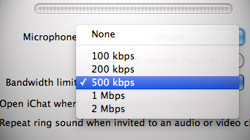
Prevent pixelated picture, no audio during iChat video chats
Poor video quality and dropped connections are common complaints about iChat’s video conferencing feature. When it works, it’s one of the best things a Mac can do. When it doesn’t, it’s a frustrating nightmare. A few months ago I noticed my mid-2008…
Change default font in Office 2008’s Word and iWork ’09’s Pages
Mac users have a dilemma! The platform’s two most popular word processors are pre-configured to use fonts people generally do not want to use. Folks who need Times New Roman to be the default font have to do some tweaking. One of the most…

Holiday gift ideas: 10 Mac software titles anyone would love
As promised, the 2009 MacYourself Holiday Gift Guide continues with a list of quality Mac software. Computers are only as good as the software that runs on them, so surprise the Mac lover in your life with one of the following titles! Apple geeks tend to want to keep up with the latest…

5 Mac mouse-related utilities that alter acceleration, add features
Some Mac users, especially those that come from the Windows world, are bugged by OS X’s mouse acceleration curve. A number of developers have created software utilities to alter this behavior. To provide some background information…

Toggle time totals, precisely scrub playback & volume in iTunes
By taking a few minutes to play and click around in iTunes, users can discover some interesting things hidden within Apple’s media management software. I think it’s safe to say a majority of us use iTunes to organize and play our music, among other things…

3-Finger swipe gestures in Finder, Mail, Preview, iMovie, & more
Apple is running full steam ahead with integrating Multi-Touch into Mac notebooks. For the past couple years, they’ve shipped trackpads capable of advanced gestures – such as the versatile 3-finger swipe – that make everyday tasks…

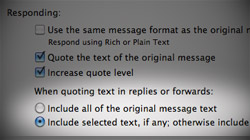
Quote selected text, include original attachments in Mail replies
Replying to messages is obviously a major part of the email process. In Apple’s Mail software, there are a few things users can do to make replies easier to compose now and more convenient to find later on. Mail is a program that many…
Push media to iTunes 9 with “Automatically Add to iTunes” folder
An unheralded new feature in iTunes 9 gives users a place to queue up music and video files to be added to their iTunes libraries without the program even being open. As usual, Apple has done a good job of advertising the major highlights…

How holding the Option key unleashes features in QuickTime X
Now that we’ve all had some time to get used to QuickTime X in Mac OS X Snow Leopard, let’s dig a little deeper into the new software. One way to do that is simply to press the Option key. It’s always fun to find little goodies that reveal…

Mac browser showdown: Multi-Touch gestures in Safari vs. Firefox
Those big, spacious trackpads on Apple’s recent notebooks were built for fancy finger maneuvers. It just so happens that the two main Mac internet browsers – Apple’s Safari and Mozilla’s Firefox – were built the same way. Although a…





- 10 moves Apple made to change the computer industry forever
- 13 surprising quotes that prove Steve Jobs can predict the future
- Solutions for fixing a Mighty Mouse that won’t right-click reliably
- A slew of Exposé tips & tricks to show off to your Windows friends
- Classic Apple Mac commercials that relentlessly bash PCs
- 7 utilities to transfer music & videos from iPod or iPhone to Mac
- Keep your Mac safe from snoopers on public WiFi networks
- iPhone 3-way conference call feature not working? The fix is in!
- Text message fails on iPhone: “Error invalid number” notification
- Handy guide for Time Machine tricks and troubleshooting tips
- My Photo Stream not updating in Mac Photos app?
- Mac running slow after upgrading to OS X 10.10 Yosemite?
- How to delete and forward individual text messages on iOS 7
- How to lock your Mac screen with a keyboard shortcut
- 5 simple ways to secure your Mac
- What Gatekeeper means for users of 10.8 Mountain Lion
- iPhone intermittently loses data connection despite full signal
- How to arrange and sort files in Finder using Mac OS X Lion
- Free Mac Bundle Giveaway! Dropzone, Socialite and Compartments
- iTunes “now playing” notifications with song title and artist name

