


Posts Tagged ‘os x’
Stickies tips & tricks, Part 2: Customizing notes to work for you
Now that we’ve covered how to create and add different types of content to notes in Part 1 of the Stickies series, the next step is manipulating those notes to fit your personal preferences. Surprisingly, there are quite a few things you can do…


Stickies tips & tricks, Part 1: Creating notes and adding content
The Stickies application bundled with Mac OS X looks simple and perhaps a little too basic at first glance. A closer look, however, reveals that it’s actually a pretty cool program that can serve many purposes. Not everyone prefers to use Stickies…

7 utilities to transfer music & videos from iPod or iPhone to Mac
So you’re freaking out because your Mac’s hard drive failed and all of those songs, movies, & TV shows you’ve accumulated are gone. No worries, they’re still on your iPod or iPhone and there are tools to help get them back! Aside from serving…

An overview of Mac OS X’s spring-loaded folders, plus a few tips
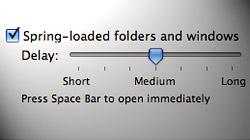
Although it’s considered by many to be one of the Mac operating system’s best features, not enough people take advantage of spring-loaded folders in Finder to boost their productivity. If you’re new to Macs and still learning about all..
Perform quick calculations & get instant definitions with Spotlight
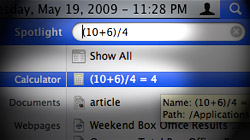
Did you know Spotlight can be used for more than just search in Mac OS X Leopard? That’s right, it’s a multi-purpose tool that can also handle basic mathematical calculations and offer quick access to word definitions. There are a variety of…
How to take screenshots in Mac OS X’s DVD Player application
Due to a limitation which prevents screenshots from being taken while DVD Player is running, grabbing frames from movies is a hassle. With a little trickery (or a different video player), that problem can be solved. You’ve probably seen the error…

Scale text proportionally in OS X with mathematical expressions
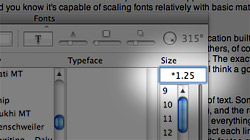
The standardized Fonts window in Cocoa-powered Mac applications is surprisingly flexible. Did you know it’s capable of scaling fonts relatively with basic mathematical expressions? In order to take advantage of this tip, you’ll need to use an application…
Glims: Awesome multi-function plugin for Apple’s Safari browser
Although Safari isn’t quite as expandable as Mozilla’s Firefox, that doesn’t mean there aren’t some fantastic plugins which can drastically improve its browsing capabilities. One such example is Glims — a free plugin packed with useful features. It’s not..

Is your Mac’s Dock cramped? Use Stacks to categorize app icons
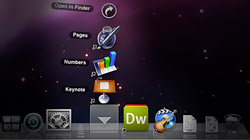
The Dock is one of Mac OS X’s greatest features and sometimes we tend to love it so much that it gets packed full of application icons. Take advantage of Stacks in Leopard to give your Dock some breathing room. So you’ve got a Dock that is packed…
7 Address Book tips to help you get the most out of your contacts
Address Book is one of those essential applications built into Mac OS X, but it never seems to get the attention it deserves. Let’s change that with a list of tips which make using Address Book a more pleasant experience. If you’re across the…

Small hard drive? Split your iTunes library across multiple volumes
As more of our entertainment goes digital, we’re running out of hard drive space to store these big files directly on our Macs. A possible solution to this problem is dividing an iTunes library across multiple disk volumes. To better explain the goal of…

A slew of Exposé tips & tricks to show off to your Windows friends
One of the first things Mac users do to impress their Windows pals is demonstrate the magic of Exposé. Now you can awe them with a bunch of cool tricks. Oh yeah… they might even boost your productivity too! If you’re a recent Mac convert…





- 10 moves Apple made to change the computer industry forever
- 13 surprising quotes that prove Steve Jobs can predict the future
- Solutions for fixing a Mighty Mouse that won’t right-click reliably
- A slew of Exposé tips & tricks to show off to your Windows friends
- Classic Apple Mac commercials that relentlessly bash PCs
- 7 utilities to transfer music & videos from iPod or iPhone to Mac
- Keep your Mac safe from snoopers on public WiFi networks
- iPhone 3-way conference call feature not working? The fix is in!
- Text message fails on iPhone: “Error invalid number” notification
- Handy guide for Time Machine tricks and troubleshooting tips
- My Photo Stream not updating in Mac Photos app?
- Mac running slow after upgrading to OS X 10.10 Yosemite?
- How to delete and forward individual text messages on iOS 7
- How to lock your Mac screen with a keyboard shortcut
- 5 simple ways to secure your Mac
- What Gatekeeper means for users of 10.8 Mountain Lion
- iPhone intermittently loses data connection despite full signal
- How to arrange and sort files in Finder using Mac OS X Lion
- Free Mac Bundle Giveaway! Dropzone, Socialite and Compartments
- iTunes “now playing” notifications with song title and artist name

