


Posts Tagged ‘mac’
Not digging the 3D glass Dock in 10.5 and 10.6? Enable 2D mode
When OS X 10.5 Leopard came out a little under 2 years ago, the Mac community was split between those who loved the new 3D glass shelf Dock and those who despised it. With a quick tweak in Terminal, everyone wins. If eye…


Mac browser showdown: Multi-Touch gestures in Safari vs. Firefox
Those big, spacious trackpads on Apple’s recent notebooks were built for fancy finger maneuvers. It just so happens that the two main Mac internet browsers – Apple’s Safari and Mozilla’s Firefox – were built the same way. Although a…

Even more ways to utilize Exposé in OS X 10.6 Snow Leopard
We published an article called “Cool new enhancements to Exposé in Mac OS X Snow Leopard” a couple weeks ago thinking that was all the feature had to offer, but it turns out that’s not the case. There are even more nifty tricks to learn!

7 random features found throughout Mac OS X Snow Leopard
Rather than focus on specific system applications like we’ve done for the past few articles, let’s take a broader look at 10.6 Snow Leopard and cover some random odds & ends. According to our statistics, the latest version of Mac…
Snow Leopard’s faster, more robust Preview for PDFs & images
Continuing our coverage of Mac OS X 10.6 Snow Leopard, we take a look at enhancements to Preview. Primarily used as a PDF and image viewer, Preview is becoming more powerful and lightweight at the same time. The raw…

An introduction to Snow Leopard’s all-new QuickTime X player
Perhaps the most radical and obvious change in Mac OS X Snow Leopard is the totally revamped QuickTime X player. Taking what they learned from the iPhone’s media player, Apple has started with a clean slate on the Mac side…

Cool new enhancements to Exposé in Mac OS X Snow Leopard
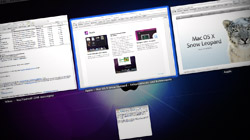
Exposé was fantastic before, and with Mac OS X 10.6 Snow Leopard it just got even better. Apple has made great changes to the way it displays windows and how users can interact with them. Snow Leopard, the new version of Mac OS X that shipped this past…
Search for .plist and other system files with Leopard’s Spotlight
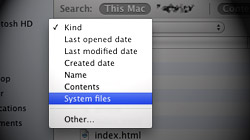
Although Leopard’s Spotlight search function is more powerful than the one found in Tiger, some of that power is hidden. Searching for OS X system files, for instance, can only be done when special parameters are set. Spotlight is configured out of the box to produce…
Apple makes mistakes, but they eventually do the right thing
Although they make some minor missteps every now and then, history proves Apple really does listen to their customers. They may be slow to act, but they admit when they’re wrong and ultimately make things right. Always being in the spotlight…

Navigate Mac OS X dialog boxes using only your keyboard
Recent switchers from the Windows world might get frustrated at the Mac operating system’s apparent anti-keyboard bias when it comes to dialog boxes. The option to Tab through buttons is there – just not by default. Have you ever had a dialog…

iTunes keeps asking to allow or deny incoming connections
There is a bug that causes some Mac users who have Leopard’s firewall enabled to continuously get popups asking whether “iTunes.app” should accept incoming network connections. When Macs running 10.5 Leopard…

Free Giveaway! Little Snitch, a companion to Mac OS X’s firewall
Mac OS X features its own firewall, which resides in System Preferences. While it is effective, it does not manage all connections to and from a Mac. Little Snitch is a $29.95 third-party firewall that covers everything the built-in one does not. Although…





- 10 moves Apple made to change the computer industry forever
- 13 surprising quotes that prove Steve Jobs can predict the future
- Solutions for fixing a Mighty Mouse that won’t right-click reliably
- A slew of Exposé tips & tricks to show off to your Windows friends
- Classic Apple Mac commercials that relentlessly bash PCs
- 7 utilities to transfer music & videos from iPod or iPhone to Mac
- Keep your Mac safe from snoopers on public WiFi networks
- iPhone 3-way conference call feature not working? The fix is in!
- Text message fails on iPhone: “Error invalid number” notification
- Handy guide for Time Machine tricks and troubleshooting tips
- My Photo Stream not updating in Mac Photos app?
- Mac running slow after upgrading to OS X 10.10 Yosemite?
- How to delete and forward individual text messages on iOS 7
- How to lock your Mac screen with a keyboard shortcut
- 5 simple ways to secure your Mac
- What Gatekeeper means for users of 10.8 Mountain Lion
- iPhone intermittently loses data connection despite full signal
- How to arrange and sort files in Finder using Mac OS X Lion
- Free Mac Bundle Giveaway! Dropzone, Socialite and Compartments
- iTunes “now playing” notifications with song title and artist name

