


Posts Tagged ‘mac’
How I fixed my Mac’s broken wireless and got back online today
Immediately after upgrading to 10.6.3 last night, my MacBook Pro lost the ability to connect to the internet via WiFi. While a wired connection worked, wireless was apparently ravaged by the latest Mac OS X update. I’m not sure if this is…


11 common myths that keep people from switching to Macs
Although Apple’s Mac computers are selling in record numbers, there is still a ton of misinformation being spread about them. You have to believe Mac sales would skyrocket even more if the average person figured out those myths…

Shared volumes missing and not mounting in Finder’s sidebar?
Network shares not appearing in Finder’s sidebar is a common issue for some users – especially those running Mac OS X 10.5 Leopard. Sometimes Finder just needs a jump start or a kick in the rear to display those devices correctly. Assuming…

Maximum volume still too quiet? Make MacBook speakers louder
A common complaint amongst MacBook, MacBook Air, and MacBook Pro owners is the seemingly low “maximum” volume level of the built-in speakers. It’s frustrating, but there are a few ways to get around it. Although some may blame…

How to change Time Machine backup interval, backup manually
Time Machine, the automated backup utility built into Mac OS X, is set to run every hour by default. Is this too often for you? Find out how you can change the backup interval, plus how to initiate backups only when you trigger them manually…

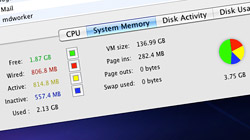
What is free, wired, active, and inactive system memory (RAM)?
Mac users: Have you ever wondered what all that system memory stuff in the Activity Monitor was all about? Understanding the terminology – free, wired, active, and inactive RAM – can help you decide if your Mac has enough memory. A quick…
Keyboard shortcuts for OS X’s Cmd+Tab Application Switcher
The Mac Application Switcher is that handy list of open programs that comes up when you press Command+Tab on the keyboard. Add more functionality to this feature with a few keyboard shortcuts. For folks coming from…

Enable Magic Mouse momentum scrolling in Mac OS X 10.5.8
Magic Mouse owners who are still running Mac OS X 10.5 Leopard have been left out in the cold. Apple only officially supports momentum scrolling in 10.6, but a simple hack can bring 10.5 users up to speed too. For those of…

Batch resize images with Preview in Mac OS X 10.5 and 10.6
Expensive software like Photoshop is not necessary to resize large groups of pictures all at once. Mac OS X’s Preview application gets the job done just as easily for free! Resizing a bunch of images can be a tedious and time consuming…

Every Spotlight keyboard shortcut a Mac user needs to know
Spotlight – Mac OS X’s fantastic system-wide search tool – helps find files, launch applications, make basic calculations, look up definitions, and more. Best of all, it can do all that without ever needing input from a mouse. Whether…

Manage multiple iTunes & iPhoto libraries on the same computer
Since Apple software such as iTunes and iPhoto uses libraries to organize content, you may think you’re limited to just one per user account. It turns out these programs can actually manage multiple libraries at the same time. When most…

3 very handy, lesser-known iPhoto ’09 tips for casual users
While snooping around iPhoto ’09 I recently discovered a few things I never really noticed before. Find out how to compare photo edits, filter items to be imported, and copy location information. I’m admittedly not an iPhoto expert…





- 10 moves Apple made to change the computer industry forever
- 13 surprising quotes that prove Steve Jobs can predict the future
- Solutions for fixing a Mighty Mouse that won’t right-click reliably
- A slew of Exposé tips & tricks to show off to your Windows friends
- Classic Apple Mac commercials that relentlessly bash PCs
- 7 utilities to transfer music & videos from iPod or iPhone to Mac
- Keep your Mac safe from snoopers on public WiFi networks
- iPhone 3-way conference call feature not working? The fix is in!
- Text message fails on iPhone: “Error invalid number” notification
- Handy guide for Time Machine tricks and troubleshooting tips
- My Photo Stream not updating in Mac Photos app?
- Mac running slow after upgrading to OS X 10.10 Yosemite?
- How to delete and forward individual text messages on iOS 7
- How to lock your Mac screen with a keyboard shortcut
- 5 simple ways to secure your Mac
- What Gatekeeper means for users of 10.8 Mountain Lion
- iPhone intermittently loses data connection despite full signal
- How to arrange and sort files in Finder using Mac OS X Lion
- Free Mac Bundle Giveaway! Dropzone, Socialite and Compartments
- iTunes “now playing” notifications with song title and artist name

