


Subscribe to MacYourself via RSSSubscribe to MacYourself via EmailFollow MacYourself on Twitter
Mini DisplayPort to HDMI adapter
Kanex HDMI Products for Mac

The ultimate guide to ejecting a stuck disc from Mac SuperDrive

The ultimate guide to ejecting a stuck disc from Mac SuperDrive

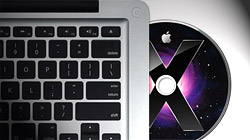
The slot-loading optical disc drives in MacBooks, iMacs, and Mac Minis are definitely more elegant than those flimsy trays on most computers. The part that’s not so elegant is when a stubborn CD or DVD gets stuck!

Over the years, a ton of different methods for ejecting stuck discs have been passed around the Apple community. While some approaches appear to work more reliably than others, there is no single troubleshooting technique that has been proven to work for everyone. In an effort to be as comprehensive and help as many people as possible, I’m throwing in all of the strategies I’ve come across related to this topic. If you’re battling a CD or DVD that refuses to pop out, hopefully you find at least one does the trick!

The standard stuff

For the sake of being complete, let’s start out simple. When a disc won’t eject from your Mac, try the following: 1.) Press and hold the Eject key, 2.) Right-click on the disc icon on the Desktop and select “Eject” from the menu, 3.) Drag the disc icon to the Trash. No luck? Read on for more tips!

Disk Utility

Launch Disk Utility (Applications > Utilities) and select the troublesome CD or DVD in the sidebar. Click the Eject button at the top of the window.

Terminal command

Launch Terminal (Applications > Utilities) and copy the following command: drutil eject

Mouse/Trackpad button

Restart your Mac and hold down the left mouse button (or trackpad if you have a laptop) as it boots up. Keep pressing it until the login screen or desktop displays.

Tilt and shake

Pick up your Mac laptop and tilt it so the CD/DVD drive is pointing downwards. Restart and hold the Eject key down while gently shaking the computer up and down.

The self-fixing Mac

Shut down your Mac, turn it back on, and let it sit for 10-15 minutes. Make sure the power cord is plugged in as you do this and the disc just might pop out on its own.

Disrupt the spin

If you listen carefully, you can probably hear your optical drive powering up & down over and over again. As long as the disc spins, it’s not coming out. The first step is to get your hands on a very thin piece of cardboard or even a folded business card (so it’s twice as thick). Now restart your Mac and hold down the mouse/trackpad button as you poke the cardboard inside the SuperDrive slot. The goal is to slip it above the CD or DVD — towards the left side of the drive — and gently jiggle it around to put pressure on the disc. You might have to continue this for up to a minute or so, but it often works when all other methods fail.

Share/Save/Bookmark
Share/Save It
Digg ThisStumbleUponDel.icio.usTwitterFacebook

34 Comments Have Been Posted (Leave Your Response)

sounds very dangerous XD especially the tilt and shake, haha.
I coulda used these tips when I got a dvd stuck in my computer, but I just restarted it and then it came out haha

but I’ll have to keep all these in mind next time

All of these things work. sometimes.
The #1 way to get it out is…….slide an adhesive mailing label into the slot until it contacts the top if the disc, you’ll hear it. push eject and give it a little assist tug. it will come out every single time.

I did something similar to David’s mailing label. I used duct tape and smoothed it to the cd with a credit card. When I hit eject, I was able to pull the cd right out.

Somehow I have lost the ilife install on my month old mac. I still can’t get the disk to eject (ummmm…stick stuff in the drive??! yikes) to install off the disk. So far I’m not impressed.

I’ve had a freakin’ disc stuck in my imac for three frickin’ years. I’ve tried everything to get it out. Multiple times. It will probably be in there until kingdom come.

Had a stuck DVD in iMac and was preventing the system from booting. After everything else i tried this ‘disrupting the spin’ approach with a folded slip of paper. Worked perfectly.

Wow – my disk was irritating the hell out of me. Interrupting the spin worked FIRST TIME! :)

LEGEND.

Catherine Boulanger
December 18th, 2009, 4:42 PM

Thank you Thank you! Finally got my CD out by following your different alternatives. Disk Utilities did it for me.

This is my second iMac in a row where, less than a month from purchase, a disc got stuck in the drive. Damned irritating. The last time I just left the disc in the drive and used an external drive for almost three years. I’m going to try credit cards wrapped in double sided tape and the “disrupting the spin” approach, but I’ll most probably end up just leaving the disc in the drive again.

I dropped my laptop (I know! That was dumb!) and the disc drive got a little bent. I tried the paper thing and it worked perfectly!

I tried everything to get out a mini cd but to no avail. And to make matters worse it’s my work laptop and we’re not supposed to install programs. I worked my way slowly down your list and was about to give up after the ’tilt & shake’ but then decided to finish your list. I have to say I didn’t think the ‘disrupt the spin’ would work but after using an index card it came out easily. Thanks!!!

OK, my 2-year-old was attempting to put a video in the drive, but there was already a disc in there. The computer wouldn’t even recognize the disc so I thought there was no way it was coming out. But I decided to try the tape and credit card trick, and lo and behold – out come 2 discs!!! I am ecstatic, to say the least. With the computer in reach of little hands, I guess I’ll have to keep the duct tape at the ready.

I have a pretty new I mac and got a CDR stuck. The last option worked with a credit card and it couldn’t do any thing else. Genius. so helpful thankkyou!!!

Finally! After daily poking and prodding with a plastic grocery store customer card, the DVD popped out today.

The only thing I did differently was today I poked and prodded for a minute or so before I hit the eject button. Then, when I hit the eject button, out popped the disc.

I tried all of the above with no success. I opened up the iMac (pain in the butt) and opened the optical drive and removed the errant disk. After reassembly decided to try different disk and it stuck again. You could hear the disk trying to escape but no luck.

As a last ditch try before disassembly again I used a can of compressed dust spray for electronics. I inserted the nozzle in the lower end (left side for MacBook) of the slot and while hitting the eject button depressed the spray can trigger full blast. Viola! Out popped the disk.

I like my iMacs. I have a 17 inch and a 24 inch. I don’t use the optical drives in either one any longer because both computers have had discs stuck in the drives and that’s irritating as all get out. Instead, I rely on external tray loading drives.

I put a mini disc in just now thinking it would work, tried everything probing around with hair clips the mouse holding and everything on the list but finally the last one worked, thanks!!

My son put two dvds inside the drive… How do I get them out!!!

AWESOME!! Thanks for the advice! It actually worked to pick it up and shake it! You Rule!!

One thing you can do is if you have VMWare Fusion or Parallels installed, is to use Windows to eject the drive. Go to Windows Explorer and right-click, eject the disc. Oddly enough, I can read DVDs in Windows where Mac OS would just fail to even detect the disc.

I’v tried all of the above techniques and NOTHING WORKS!!!! Am at the end of my tether and it’s my work computer :-O o dear lol

The credit card method works great!

Yay!! The tilt and shake method worked! Ahhhhh thank you, thank you, thank you!

Stephanie Wright
April 7th, 2010, 2:55 PM

Thank you, thank you, thank you! The credit card and duct tape worked! My 4 year old won’t be allowed to put the dvd’s in anymore, but all is well!

I am so frightened and nervous couse I am trying to Install Windows on my Brand New iMac 27inch when installation failed and the disc is stuck! I dont know what to do and how to remove it. I thought im gonna break it. then suddenly I found this forum and followed what other did through their experience. to my surprise business card work! on a stuck cd to release it! unbelievable!!!! Thank you GUYS!!!!!

THANK YOU SO MUCH!!

oh my gosh…it took forever but the folded card and the mousetrack pad hold down while holding the computer downwards did work finally! Thank you so much!

I couldn’t get a CD out my Superdrive on my Aluminium iMac and tried the business card thing but no joy. I was giving up hope and then I decided to lie the iMac with the screen pointing up, hit the eject button and ‘Hey Presto!’ out it came!

Fantastic!
My 27inch iMac stopped accepting discs. No disc in the drive and the drive seemed to be dead.
I tried ‘drutil eject’ and that made the drive attempt to eject nothing and brought it back to life!
I was almost ready for a trip to the repair centre. Thanks very much!!

Thank you! The Terminal command option worked perfectly.

Im still stuck I have a samll dvd in the drive of my 2010 model MBP drive on right and have traied everything but the small dvd seems to not be sitting in the drive correctly so it deosnt even read on the desktop

any ideas anyone?

None of these worked for me and I was hoping one would. Arg!

well this is my first mac and i got me one of those flash looking imac jobs, and life was good until the disk started to get temper mental
and then it gave up giving me the discs back period. tried every trick known to man, so thought ok i have a big screwdriver i will take it to bits (lots of flashy looking stuff in there) the drive works fine and the trap door operates but the only way to get the disc out was to actually pull it off the spindle thingy so it looks like the tabs that hold the disc in the middle are not releasing. anyone got any ideas?
all the best

cambridge-malcolm
August 23rd, 2010, 11:53 AM

The Terminal command worked for me. However, as the rogue disc prevented my Mac booting, I had to do a safe boot first. To do this hold down the shift key as the Mac starts. Keep holding it down until you get the safe boot window. I then had to press the alt/option key to get the login window. Keyed in my password and then was in business. Hope this helps someone in the future!

Have Something To Say? Join The Discussion!

  (required)
  (required; will be kept private)
  (optional)