


Posts Tagged ‘os x’
Mac login window tricks, Part 4: Change default background image
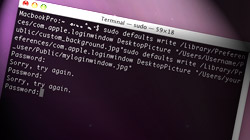
The fourth and final segment of MacYourself’s Mac login window tricks series helps make your Mac your own. Ditch the login screen’s default background in favor of a custom image of your choice. One of the first things many people do when they get…

Mac login window tricks, Part 3: Hide certain user accounts
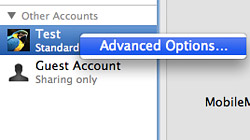
For the 3rd installment of our 4-part series of Mac login window tips and tricks, we’re going to show how to hide user accounts from displaying. This can be particularly useful when you have a number of users who don’t log in very often. There are…
Mac login window tricks, Part 2: Add a custom welcome message
Number two in our 4-part series about tweaking your Mac’s login window focuses on setting up a special greeting of your choice. Although it might seem trivial at first, adding a few lines of text to the login screen can serve a number of purposes. Have…

Mac login window tricks, Part 1: Unleash hidden system information
You may not realize it, but the login window on the Mac offers a useful mix of system information that is accessible without even needing to sign in. The reason most folks are probably not aware of this (unless you’re a hard-core user) is because Apple’s…

Creating folders in Apple’s Mail to organize email and RSS feeds
The bundled Mail application in Mac OS X is fantastic and definitely one of the programs Mac users work with most throughout the day. Staying organized is key to maintaining your sanity, so make your life easier with folders for your email and RSS…

8 more must-have Dashboard widgets for the average Mac user
As a follow-up to our popular list of 12 must-have Dashboard widgets, here are 8 more that are sure to appeal to just about anyone who loves trying these awesome little apps. I used to think most people with Macs were not huge users of Dashboard…

Turn your Mac into a WiFi hotspot using OS X’s internet sharing
Have you ever been in a situation where you had multiple devices that needed to connect to the internet, but only one available source (like an ethernet cable or cellular card)? Sharing your internet connection is only a few clicks away. Although free…

Never forget another birthday with Apple’s iCal & Address Book
So you’re the one who always misses birthdays and anniversaries. It’s so bad your family, friends, and co-workers have come to expect it by now. Take advantage of iCal and Address Book on your Mac and surprise them by never forgetting again! Right…

Is your Mac’s menu bar a mess? Organize & remove your icons
Although it doesn’t seem like it at first glance, Mac OS X’s menu bar is surprisingly flexible. With that said, screen resolution still limits the number of icons that can fit comfortably before things get a little cramped. Every Mac user’s menu bar looks…

A convenient assortment of text selection tricks for Mac users
Just about everyone knows they can click & drag across text to select it and then copy, paste, move, or manipulate it as they please. It’s a simple enough concept, but did you know there are additional methods of selecting text on a Mac that…

Power tips for manipulating PDFs & images in Mac OS X’s Preview
One of Mac OS X’s most overlooked features is Preview, a built-in PDF and image viewer that also happens to have some pretty advanced manipulation and editing tools. Where third party software was previously needed for certain tasks, Leopard’s version…

Free Giveaway! Uninstall Mac applications with AppZapper
Installing programs in Mac OS X is unbelievably easy, with a simple drag and drop to the Applications folder being all it takes. Uninstalling is a different story, which is where AppZapper comes in. While dragging an application to the Trash…





- 10 moves Apple made to change the computer industry forever
- 13 surprising quotes that prove Steve Jobs can predict the future
- Solutions for fixing a Mighty Mouse that won’t right-click reliably
- A slew of Exposé tips & tricks to show off to your Windows friends
- Classic Apple Mac commercials that relentlessly bash PCs
- 7 utilities to transfer music & videos from iPod or iPhone to Mac
- Keep your Mac safe from snoopers on public WiFi networks
- iPhone 3-way conference call feature not working? The fix is in!
- Text message fails on iPhone: “Error invalid number” notification
- Handy guide for Time Machine tricks and troubleshooting tips
- My Photo Stream not updating in Mac Photos app?
- Mac running slow after upgrading to OS X 10.10 Yosemite?
- How to delete and forward individual text messages on iOS 7
- How to lock your Mac screen with a keyboard shortcut
- 5 simple ways to secure your Mac
- What Gatekeeper means for users of 10.8 Mountain Lion
- iPhone intermittently loses data connection despite full signal
- How to arrange and sort files in Finder using Mac OS X Lion
- Free Mac Bundle Giveaway! Dropzone, Socialite and Compartments
- iTunes “now playing” notifications with song title and artist name

